Healthcare organizations often ask one practical question before choosing an MSP: how much will managed IT services cost? The answer depends on users, devices, locations, support hours, security needs, compliance expectations, and how much responsibility the provider will own. That is why managed IT services pricing healthcare decisions should never be based on a single headline number.
For clinics, hospitals, labs, and specialty practices, the goal is not to buy the cheapest IT package. The goal is to protect patient care, reduce downtime, support staff, and create a technology environment that is easier to manage. A good quote should explain what is included, what is excluded, how support is delivered, and how pricing changes as your organization grows.
This guide explains common MSP pricing models, healthcare cost factors, IT support packages, per-user pricing, per-device pricing, quote requirements, and how to compare proposals with confidence.
Why Healthcare Managed IT Pricing Is Different
Healthcare IT pricing is different from general business IT because the risk level is higher. Medical teams rely on EHR access, scheduling tools, billing systems, phones, networks, secure email, imaging workflows, and patient communication platforms every day.
If technology fails, the impact can reach patients, providers, front desk teams, billing departments, and leadership. Healthcare organizations also handle sensitive patient information, so support must consider security, access control, backups, documentation, and compliance readiness.
This added responsibility affects cost. A healthcare MSP may need stronger monitoring, faster escalation, better documentation, vendor coordination, after-hours coverage, and security-focused services. That is why a healthcare IT support estimate should be based on the full environment, not just employee count.
Common Healthcare Managed IT Pricing Models
Most MSPs price services using one of four models: per user, per device, tiered packages, or flat monthly agreements. Some providers also use hybrid pricing when the environment includes many devices, locations, or special systems.
Understanding each model helps you compare proposals fairly.
Per-User Pricing
Per-user pricing charges a monthly fee for each supported employee or active user. This model is simple because one user may have multiple devices, such as a desktop, laptop, tablet, or phone.
For healthcare organizations, per-user pricing works well when staff need regular support and access to shared systems. It also makes budgeting easier because cost grows as the team grows.
However, you should confirm what counts as a user. Ask whether part-time staff, providers, contractors, shared front-desk accounts, and inactive accounts are included.
Per-Device Pricing
Per-device pricing charges based on supported equipment. This may include desktops, laptops, servers, firewalls, switches, printers, mobile devices, and network equipment.
This model can work well for healthcare environments with many clinical workstations, exam room computers, shared devices, or dedicated equipment.
The weakness is that device-heavy clinics may see costs rise quickly. You should also ask whether printers, scanners, medical-adjacent devices, and network equipment are fully supported or only monitored.
Tiered IT Support Packages
Tiered packages group services into levels, such as basic, standard, and premium. A basic package may include monitoring and remote support, while a premium package may include 24/7 support, advanced security, backup management, vendor coordination, and strategic reporting.
Tiered pricing is useful because it helps leadership choose support based on risk and budget.
The important step is comparing inclusions. Two MSPs may use the same package name but include very different services.
Flat Monthly Agreements
A flat monthly agreement gives one predictable monthly price for a defined scope. This can be helpful for organizations that want stable budgeting and fewer surprise charges.
Flat pricing works best when the MSP has reviewed the environment and clearly defined responsibilities. Without a proper assessment, flat pricing may hide exclusions that appear later as extra fees.
What Affects the Cost of Healthcare Managed IT Services?
Managed IT pricing is shaped by complexity. A small clinic with simple systems usually costs less than a multi-location healthcare group with servers, cloud tools, strict uptime needs, and advanced security requirements.
Number of Users
More users usually mean more tickets, access requests, password resets, onboarding tasks, and support needs. User count is one of the most common pricing drivers.
Number of Devices
More devices require more monitoring, patching, protection, inventory tracking, and troubleshooting. Healthcare environments often have shared workstations, front-desk systems, exam room devices, laptops, and mobile equipment.
Number of Locations
Each location adds network, internet, firewall, Wi-Fi, printer, and onsite support considerations. Multi-location practices often need stronger coordination and faster escalation.
Support Hours
Business-hours support costs less than 24/7 support. Healthcare organizations that need after-hours monitoring, urgent response, or weekend coverage should expect higher pricing.
Security Requirements
Cybersecurity services can change pricing significantly. Endpoint protection, patch management, email security, backup monitoring, access control, security reporting, and incident response all add value and cost.
Compliance Readiness
Healthcare organizations need better documentation and stronger technical controls than many standard businesses. Compliance-ready support may include reporting, access reviews, backup checks, security policies, and risk-focused recommendations.
Existing IT Condition
If your current IT environment is outdated, poorly documented, unstable, or missing security controls, the MSP may recommend onboarding cleanup or project work before monthly support begins.
What Should Be Included in an MSP Quote?
A professional healthcare IT proposal should be clear, detailed, and easy to compare. It should not only show the monthly price. It should explain the scope of support.
A strong quote should include supported users, supported devices, locations, help desk coverage, monitoring, patching, backup responsibilities, cybersecurity tools, response times, onsite support rules, vendor coordination, reporting, exclusions, and contract terms.
It should also explain onboarding fees, project costs, licensing costs, and any services billed separately.
If the proposal is vague, ask for clarification before signing.
Typical Managed IT Service Package Levels
Healthcare managed IT packages usually fall into three general levels.
Basic IT Support Package
A basic package may include remote help desk support, basic monitoring, limited patching, and standard troubleshooting. This option may work for very small practices with low complexity.
However, basic packages may not include advanced security, 24/7 coverage, backup management, onsite support, or compliance-focused reporting.
Standard Managed IT Package
A standard package often includes help desk support, device monitoring, patch management, endpoint protection, backup monitoring, ticket management, and reporting.
This level fits many small and mid-sized healthcare organizations because it provides ongoing support without requiring a full internal IT team.
Advanced Healthcare IT Package
An advanced package may include 24/7 monitoring, faster SLA response, advanced cybersecurity, server support, cloud support, backup management, vendor coordination, strategic reviews, and stronger compliance documentation.
This is often the best fit for healthcare organizations where downtime, security, and patient data protection are major concerns.
How to Request an Accurate IT Support Estimate
To get an accurate quote, prepare basic information before contacting an MSP. This helps the provider understand your environment and avoid guessing.
You should share your number of employees, number of supported users, device count, locations, servers, cloud systems, EHR platform, phone system, internet setup, current support problems, security tools, backup process, and after-hours needs.
Also share your biggest pain points. For example, mention slow EHR access, recurring printer issues, downtime, poor response times, weak documentation, or overloaded internal IT staff.
The better your information, the more accurate your IT support estimate will be.
Questions to Ask Before Accepting a Proposal
Before choosing a managed IT provider, ask direct questions.
What is included in the monthly fee? What is excluded? Are licenses included? Is onsite support included? What are the SLA response times? Is support available 24/7? Are backups monitored? Are security tools included? How are tickets escalated? How often will reports be shared? What happens during a critical outage? Are projects billed separately? How does pricing change when users or locations increase?
These questions protect your organization from hidden costs and weak service agreements.
Hidden Costs to Watch For
Some managed IT proposals look affordable at first but become expensive later. Watch for extra fees for onboarding, after-hours support, onsite visits, emergency response, project work, licensing, hardware setup, vendor coordination, backup storage, security tools, firewall management, and compliance reporting.
Not every extra fee is unfair. Some services truly require separate pricing. The problem is when exclusions are not clear.
A good MSP should explain these costs before you sign.
Comparing MSP Proposals Fairly
Do not compare proposals only by monthly price. A lower price may include fewer services, slower response, limited security, no onsite support, or no healthcare experience.
Compare scope, response times, security coverage, reporting, experience, onboarding process, documentation, communication style, and escalation process.
The best proposal is not always the cheapest. It is the one that gives the strongest value for your risk level, support needs, and long-term goals.
When Per-User Pricing Makes Sense
Per-user pricing is usually best when your staff members use multiple devices and need regular support. It is simple to understand and easy to scale.
For example, a provider may support one user across a laptop, email account, cloud apps, and remote access tools under one monthly fee.
This model works well for healthcare teams with stable staffing and predictable support needs.
When Per-Device Pricing Makes Sense
Per-device pricing may make sense when your environment has many shared devices or clinical workstations used by multiple people.
For example, exam room computers, nursing stations, front desk systems, and shared tablets may not map cleanly to individual users.
This model can be useful, but it must be reviewed carefully. A device-heavy clinic may pay more than expected if every workstation, printer, switch, firewall, and server is counted separately.
When Co-Managed IT Pricing Makes Sense
Co-managed IT pricing is useful when your organization already has internal IT staff but needs extra help.
The MSP may handle monitoring, ticket overflow, after-hours response, patching, backups, cybersecurity tools, or project support. Your internal team may continue handling onsite needs, user relationships, and daily priorities.
This model can reduce burnout and improve coverage without replacing your internal team.
How Healthcare Organizations Can Control IT Costs
The best way to control IT costs is to reduce confusion, standardize systems, and improve documentation.
Use standard devices where possible. Keep user accounts clean. Remove unused software. Document vendors and warranties. Review old hardware. Keep systems updated. Track recurring issues. Choose clear support workflows.
Clean environments usually cost less to support because there are fewer surprises and fewer recurring problems.
Red Flags in a Managed IT Quote
Be careful if a quote is very vague, much cheaper than others, missing SLA details, unclear about security tools, unclear about backup responsibility, or silent about after-hours support.
Also be careful if the MSP does not ask about your EHR, locations, compliance needs, current problems, or critical workflows.
A provider cannot price healthcare IT correctly without understanding the environment.
What MediSure Solution Considers Before Giving a Quote
MediSure Solution reviews your healthcare environment before recommending a managed IT plan. This may include users, devices, locations, support needs, systems, downtime risks, security requirements, and operational priorities.
The goal is to build a quote that fits your organization instead of forcing every healthcare team into the same package.
For clinics, hospitals, labs, and growing healthcare groups, MediSure can support 24/7 monitoring, help desk workflows, incident response, infrastructure support, and scalable IT operations.
How to Prepare for a Proposal Request
Before requesting a proposal, create a simple list of your current IT environment. Include users, devices, locations, key systems, vendors, recurring issues, urgent risks, and your desired support level.
You do not need a perfect inventory. A good MSP can help refine it during discovery.
Also decide what you want to improve. Do you need faster support? Better uptime? Stronger security? Better documentation? Lower internal workload? Clearer reporting?
These goals help shape the right package.
Final Thoughts: Price Should Match Risk, Scope, and Support Quality
Healthcare managed IT pricing is not one-size-fits-all. The right price depends on what your organization needs protected, how quickly support must respond, and how much responsibility the MSP will carry.
A strong quote should be transparent, detailed, and connected to your real healthcare workflows.
If you are comparing MSP cost per user, per-device pricing, IT support packages, or a full proposal request, focus on value instead of price alone. The right managed IT partner should help reduce downtime, support staff, improve visibility, and create a safer technology foundation for patient care.
To get a healthcare IT support estimate built around your actual environment, request a managed IT services quote from MediSure Solution.
Sample Price Ranges to Understand the Market
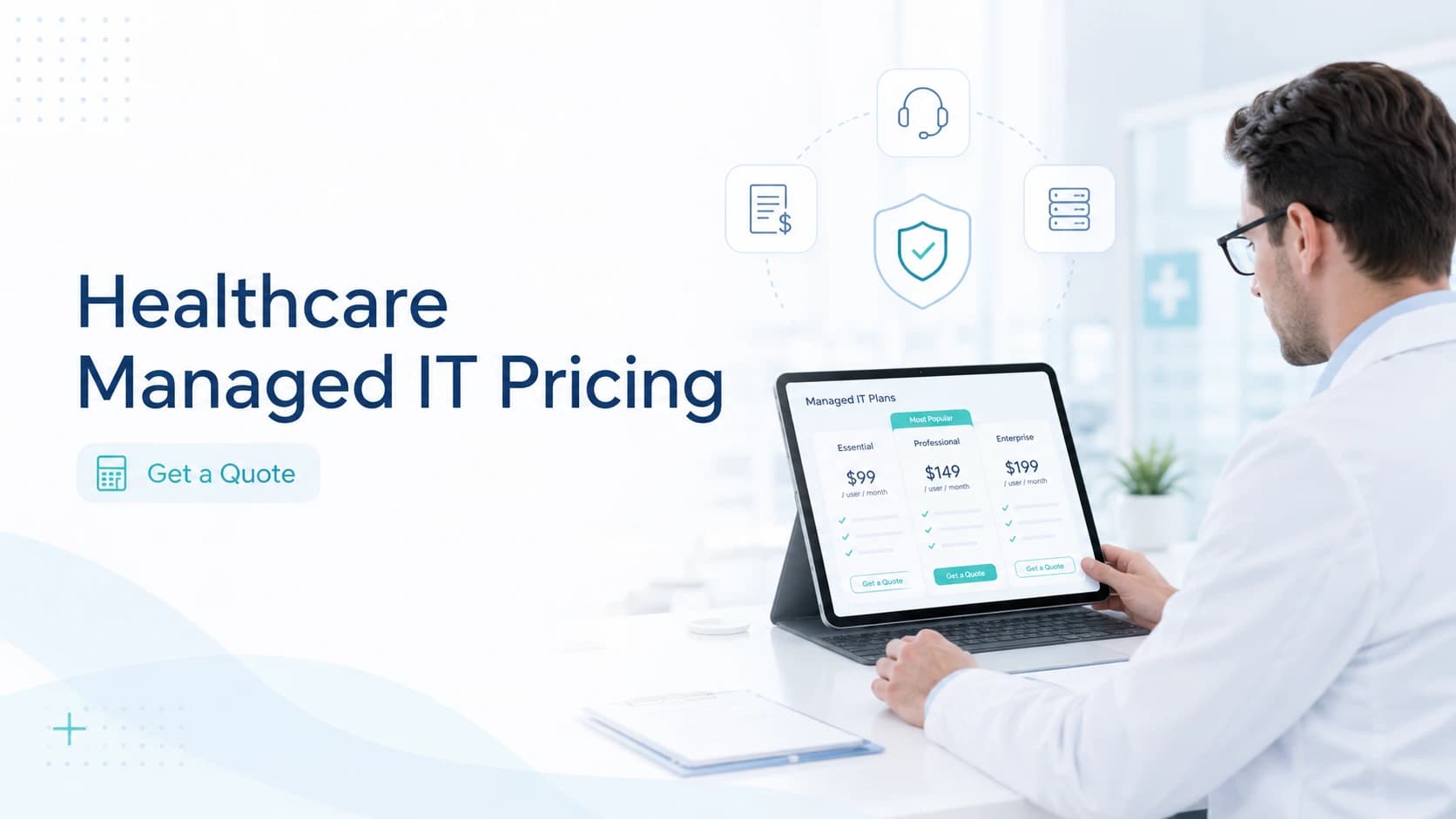
Actual pricing depends on your provider and scope, but healthcare buyers can use market ranges as a planning starting point. Many managed IT agreements are priced per user each month, while others are priced per device or through bundled packages. A simple office may fall near the lower end, while regulated healthcare environments with 24/7 monitoring, security tools, servers, backups, multiple locations, and compliance support may fall higher.
For budgeting, remember that the lowest number is rarely the full cost. Ask whether the quote includes antivirus or endpoint protection, Microsoft 365 support, backup monitoring, firewall management, onsite visits, after-hours support, project work, and vendor coordination. If these items are excluded, your monthly invoice may increase after the contract begins.
FAQs About Managed IT Services Pricing Healthcare
How much do managed IT services cost for healthcare?
The cost depends on users, devices, locations, support hours, cybersecurity needs, and service scope. A small clinic may need a simpler package, while a hospital or multi-location practice may need advanced monitoring, faster response times, and stronger security support.
Is per-user or per-device pricing better?
Per-user pricing is usually easier when each employee uses several tools or devices. Per-device pricing can work better when many people share clinical workstations. The best option depends on how your healthcare team actually works.
Why do MSP quotes vary so much?
Quotes vary because each provider includes different services. One proposal may include monitoring, patching, security tools, backup checks, and reporting. Another may charge separately for those same items. Always compare scope, not only price.
Should healthcare organizations choose the cheapest MSP?
Usually, no. Cheap IT support can become costly if it creates slow response times, downtime, weak security, or hidden fees. Healthcare organizations should choose the provider that offers the best value for patient care, uptime, and risk reduction.
What information is needed for a quote?
You should provide user count, device count, locations, EHR systems, servers, cloud tools, current issues, backup process, security needs, and support expectations. This helps the MSP create a realistic proposal.
Can MediSure customize managed IT packages?
Yes. MediSure Solution can review your environment and recommend a package based on your users, systems, risk level, locations, and support goals. This helps your organization avoid paying for the wrong level of support. A discovery call also helps confirm whether your organization needs full outsourcing, co-managed support, or a smaller monitoring package. That step keeps pricing practical, transparent, and connected to real healthcare operations instead of a generic IT checklist and future growth plans.