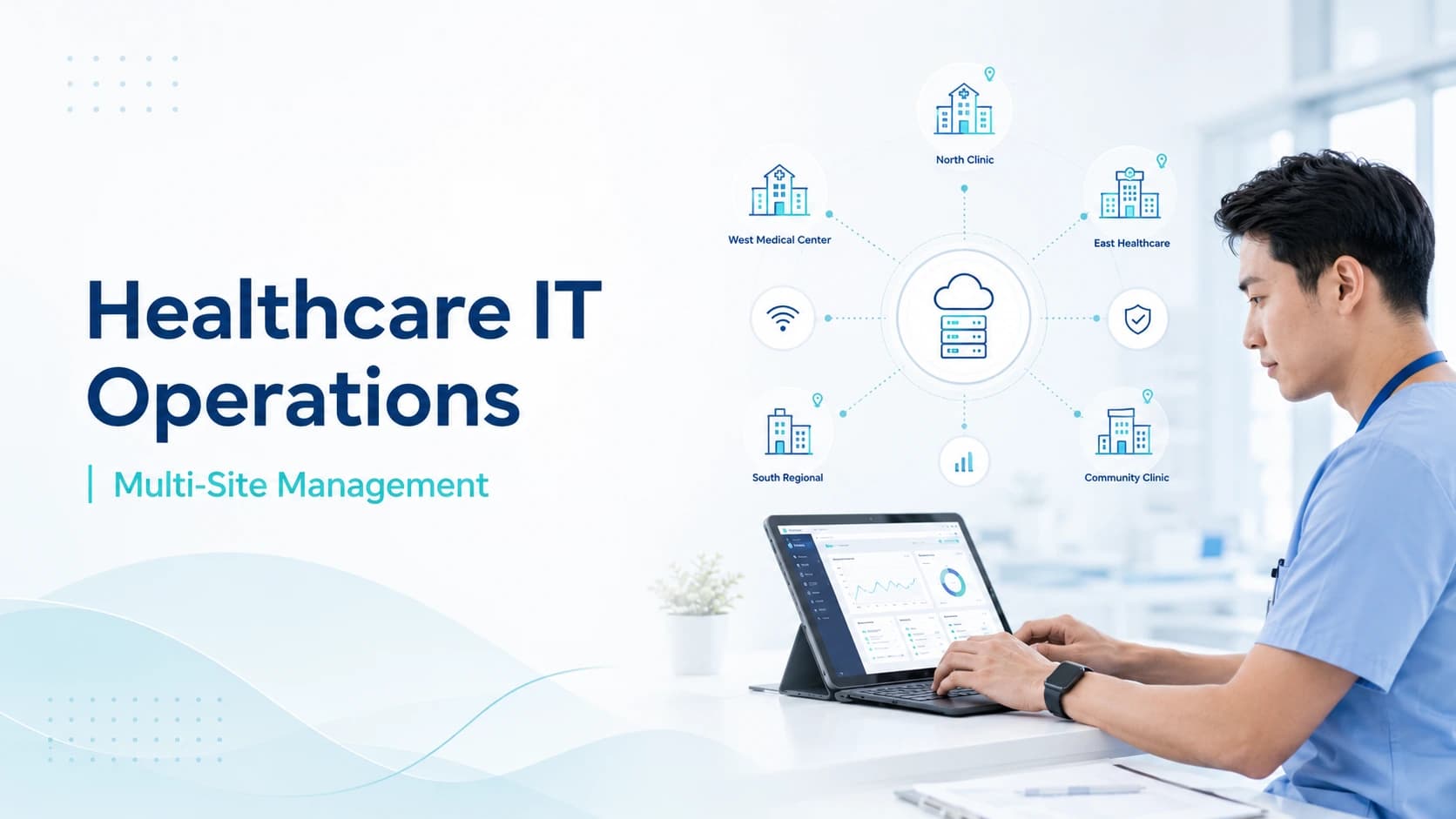
Healthcare organizations are expanding across multiple clinics, departments, labs, urgent care locations, remote teams, and shared service centers. This growth creates a major IT challenge: every location needs reliable access to systems, secure connectivity, fast support, clear escalation, and consistent performance. In 2026, multi-site healthcare IT support is no longer optional for growing practices. It is a core operational requirement.
A single-location clinic can often manage technology with simple support processes. A multi-location clinic cannot. More sites mean more networks, more devices, more users, more vendors, more servers, more cloud tools, and more chances for downtime. Without centralized IT management, every office can start working differently, creating security gaps, support delays, duplicate tools, and poor visibility.
This guide explains practical strategies for healthcare IT operations and multi-site management in 2026. It covers centralized support, server management, network optimization, incident escalation, RTO RPO planning, SLA guarantees, cybersecurity readiness, and how to build an IT model that supports patient care across every location.
Why Multi-Site Healthcare IT Is More Complex
Multi-site healthcare environments are harder to manage because every location depends on both local systems and shared platforms. A front desk team may need EHR access, phones, printers, scanners, internet, insurance verification tools, and payment systems. Providers may need clinical applications, secure messaging, imaging access, and reliable Wi-Fi. Billing teams may work from another site or remotely.
If one location has network issues, patient intake can slow down. If a shared server fails, multiple clinics may be affected. If access control is not managed centrally, former employees may still have accounts. These problems grow as the organization adds more sites.
For 2026, healthcare leaders need a clear operating model that connects people, processes, and technology across all locations.
Centralized IT Management
Centralized IT management gives leadership one view of users, devices, systems, tickets, vendors, security alerts, backups, and service performance. It replaces scattered support with a controlled process.
A centralized model should include asset inventory, user account management, device standards, patch tracking, ticketing, monitoring, documentation, vendor lists, and reporting. This helps the organization understand what is happening at every site without depending on informal updates.
Centralized management also improves consistency. Every location should follow the same baseline for security, device setup, software access, password policies, backup requirements, and support workflows. Local needs can still be respected, but the foundation should be standardized.
Standardizing Technology Across Locations
Standardization is one of the easiest ways to reduce support problems. When every clinic uses different hardware, printers, firewalls, Wi-Fi equipment, and software versions, troubleshooting becomes slow and expensive.
Healthcare organizations should create approved standards for workstations, laptops, tablets, printers, network equipment, security tools, and remote access. New locations should be built using these standards from the start.
Standardization does not mean every site must look identical. It means the core IT environment should be predictable. This makes onboarding easier, improves security, reduces downtime, and helps managed IT teams resolve tickets faster.
Network Optimization for Multi-Location Clinics
Network optimization is critical for multi-site healthcare operations. Every location needs stable internet, secure connectivity, properly configured firewalls, strong Wi-Fi, and enough bandwidth for daily workflows.
Start by mapping what each site needs. EHR access, cloud apps, VoIP phones, imaging systems, payment tools, and video visits all create network demand. If bandwidth is too low or traffic is poorly managed, users will experience slow systems and dropped connections.
Network optimization may include better firewall rules, traffic prioritization, redundant internet connections, Wi-Fi coverage improvements, VPN or SD-WAN planning, and regular performance monitoring.
For healthcare, the goal is not only speed. The goal is stable, secure, and predictable access to clinical and business systems.
Server Management and Cloud Strategy
Many healthcare groups use a mix of on-premise servers, cloud platforms, hosted EHR systems, Microsoft 365, file storage, and third-party applications. This hybrid setup needs careful server management.
Server management should include uptime monitoring, storage checks, patching, backup validation, performance tracking, access control, and lifecycle planning. Old servers should be reviewed before they become a business risk.
Cloud systems also need management. User permissions, security settings, retention policies, licensing, alerts, and integrations should be reviewed regularly. Moving to the cloud does not remove IT responsibility. It changes what must be managed.
A strong 2026 strategy should define which systems stay local, which move to cloud platforms, and how both are monitored.
Help Desk Support for Distributed Teams
A multi-site healthcare team needs one support process, not separate informal channels for every office. Staff should know where to submit issues, how tickets are prioritized, and when they will receive updates.
A managed help desk can support front desk users, providers, billing teams, administrators, and remote workers. Common issues include login problems, printer failures, device errors, email access, phone issues, slow systems, and EHR connectivity concerns.
Support should be tracked in a ticketing system. This creates visibility into recurring problems and helps leadership identify locations that need upgrades, training, or workflow changes.
Incident Escalation and Critical Response
Incident escalation is essential in multi-site healthcare IT. Not every ticket has the same priority. A single printer issue is different from an outage affecting three clinics.
A clear escalation process should define severity levels, response ownership, communication steps, and leadership notifications. Critical incidents may include EHR outages, network failures, ransomware alerts, phone downtime, backup failures, or access problems affecting many users.
Escalation should not depend on guesswork. Teams should know who responds, who approves emergency action, which vendors must be contacted, and how status updates are shared.
RTO RPO Planning
RTO and RPO are two important recovery planning terms. RTO, or Recovery Time Objective, defines how quickly a system should be restored after disruption. RPO, or Recovery Point Objective, defines how much data loss is acceptable based on backup timing.
For healthcare organizations, these targets should be set by workflow importance. EHR access, phones, scheduling, billing, file storage, and imaging may each need different recovery targets.
RTO RPO planning helps leaders understand real risk. If backups run once daily, the organization must accept potential data loss since the last backup. If a system must be restored within one hour, the technology and support plan must be built for that goal.
SLA Guarantees and Service Expectations
SLA guarantees should be clear, realistic, and tied to issue priority. Healthcare organizations should avoid vague promises such as quick support or best effort response.
A good SLA defines response times, support hours, escalation rules, communication requirements, and what counts as a critical incident. It should also explain exclusions, onsite support rules, vendor dependencies, and project work.
For multi-site healthcare teams, SLAs help create accountability. Staff know what to expect, and leadership can measure whether support is meeting operational needs.
Cybersecurity Across Multiple Sites
Security becomes harder when healthcare organizations operate across many locations. More users, devices, networks, and vendors create a larger attack surface.
A strong cybersecurity strategy should include multi-factor authentication, endpoint protection, patch management, secure remote access, access reviews, encryption guidance, email security, backup monitoring, and incident response planning.
Healthcare organizations should also review third-party access. Vendors, billing partners, EHR providers, and contractors may need system access, but that access should be controlled and documented.
Managed IT does not automatically create compliance, but it can support the technical safeguards and documentation needed for stronger compliance readiness.
Backup, Continuity, and Disaster Recovery
Multi-site healthcare organizations need more than basic backups. They need a continuity plan that explains how care teams continue working during outages.
Backups should be monitored, tested, encrypted when appropriate, and aligned with RTO RPO goals. Critical systems should have documented recovery steps. Teams should know what happens if internet service fails, a server goes offline, a cloud platform is unavailable, or ransomware affects a location.
Disaster recovery planning should include communication templates, vendor contacts, system priorities, and manual workarounds for urgent workflows.
Vendor and Application Management
Healthcare IT depends on many vendors. EHR platforms, phone systems, internet providers, billing software, imaging tools, medical devices, payment processors, and cloud platforms all affect operations.
A centralized vendor management process should document contacts, support agreements, renewal dates, escalation paths, licensing, and system dependencies. This helps reduce delays when problems involve multiple providers.
When no one owns vendor coordination, staff waste time being passed between companies. A managed IT partner can help identify the root cause and coordinate next steps.
Reporting and Operational Visibility
Leadership needs regular visibility into IT performance across all sites. Reports should include ticket volume, response times, recurring issues, downtime events, backup status, patch compliance, device health, network alerts, and recommendations.
Reports should not be technical noise. They should help leaders make decisions. If one location has repeated connectivity problems, leadership should know. If outdated devices are causing tickets, the replacement plan should be visible.
Operational visibility turns IT from a hidden cost into a measurable support function.
Building a 2026 Multi-Site IT Roadmap
A practical roadmap should begin with discovery. List locations, users, devices, networks, vendors, systems, risks, and support gaps. Then rank priorities by patient impact, security risk, and downtime exposure.
Next, define standards. Decide which devices, firewalls, security tools, backup methods, and support processes will be used across sites.
Then improve monitoring, documentation, and escalation. Finally, review performance regularly and adjust the plan as the organization grows.
A good roadmap should be realistic. Trying to fix everything at once can overwhelm staff. Focus first on risks that could stop patient care or expose sensitive data.
Remote and Onsite Support Balance
Multi-site healthcare support should combine remote response with planned onsite coverage. Many issues can be fixed remotely, including password resets, software errors, email problems, permissions, device configuration, monitoring alerts, and cloud access. Remote support is faster and keeps tickets moving across all locations.
Onsite support is still important for hardware replacement, cabling, network equipment, printer setup, access point placement, and physical device issues. The support agreement should explain when onsite visits are included, when they are billed separately, and how emergency visits are handled.
This balance helps organizations avoid paying for unnecessary travel while still getting physical support when the location truly needs it.
Device Lifecycle and Replacement Planning
Multi-site clinics often keep aging devices too long because each site buys equipment separately. Over time, this creates slow workstations, unsupported operating systems, inconsistent security tools, and more support tickets.
A centralized device lifecycle plan should track purchase dates, warranties, operating systems, performance, security status, and replacement timing. Leadership should know which devices need replacement this quarter, which can wait, and which create operational risk.
Planned replacement is usually easier than emergency replacement. It also helps standardize devices across locations, reduce downtime, and improve staff experience.
Data Governance and Access Reviews
Data governance is the process of knowing where information lives, who can access it, and how it is protected. Multi-site healthcare organizations should review user access regularly, especially when staff move between locations or roles.
Access reviews should include EHR accounts, email, file storage, shared drives, cloud apps, remote access, admin accounts, vendor accounts, and inactive users. Managers should confirm whether employees still need each permission.
This prevents access creep, where users collect more permissions over time than their role requires. Strong access reviews support security, privacy, and operational control.
Preparing New Locations for Launch
Opening a new clinic should follow a repeatable IT launch checklist. This should include internet ordering, firewall setup, Wi-Fi design, workstation imaging, printer configuration, phone setup, EHR access, user accounts, security tools, backup requirements, and support contacts.
The checklist should begin weeks before opening day. Waiting until the last moment creates delays, rushed decisions, and avoidable downtime.
A managed IT partner can help coordinate vendors, test connectivity, prepare devices, document the site, and train staff on how to request support. A smooth launch protects revenue, staff confidence, and patient experience.
Metrics Healthcare Leaders Should Track
Healthcare leaders should track IT metrics that connect to business outcomes. Useful metrics include average response time, ticket resolution time, critical incidents, downtime by location, repeat tickets, patch status, backup success rate, device age, network availability, and after-hours incidents.
These metrics help leadership see whether IT support is improving or only reacting. They also help justify investments in better connectivity, new devices, security tools, or additional support coverage.
For multi-site groups, reporting should compare locations fairly. If one clinic has far more tickets than others, it may need training, network upgrades, hardware replacement, or workflow review.
How MediSure Solution Supports Multi-Site Healthcare IT
MediSure Solution helps healthcare organizations manage IT operations across clinics, hospitals, labs, and distributed teams. Support can include centralized IT management, help desk workflows, network monitoring, server management, incident escalation, backup visibility, and scalable support planning.
For growing healthcare groups, MediSure can help create consistent technology standards, improve operational visibility, support multi-location users, and reduce downtime risk.
The goal is to give healthcare leaders one reliable support model across every site instead of disconnected troubleshooting.
Final Thoughts
In 2026, healthcare IT operations must be centralized, measurable, and resilient. Multi-site healthcare IT support should help every location stay connected, secure, and productive.
The best strategy combines centralized management, network optimization, server management, help desk support, incident escalation, RTO RPO planning, SLA guarantees, security controls, backup testing, vendor coordination, and leadership reporting.
Most importantly, the plan should be documented, tested, and reviewed with leaders before growth exposes weaknesses that are harder to correct during busy clinical operations across every site and department safely.
For multi-location clinics and healthcare groups, strong IT operations directly support patient care continuity. If your organization is growing across locations, now is the time to build a support model that can grow with it.
FAQs
What is multi-site healthcare IT support?
Multi-site healthcare IT support manages users, devices, networks, systems, security, and support tickets across more than one healthcare location.
Why is centralized IT management important?
Centralized IT management gives leadership better visibility, stronger control, consistent standards, and faster support across all locations.
What does network optimization include?
Network optimization may include bandwidth review, firewall tuning, Wi-Fi improvements, traffic prioritization, monitoring, redundancy, and secure connectivity planning.
What are RTO and RPO?
RTO is the target time to restore a system. RPO is the acceptable amount of data loss based on backup frequency.
Why do multi-location clinics need SLA guarantees?
SLA guarantees set clear response expectations for normal issues, urgent tickets, outages, and critical incidents.
Can managed IT support server management?
Yes. Managed IT can support server monitoring, patching, backups, performance checks, storage management, access control, and lifecycle planning.
How does incident escalation work?
Incident escalation prioritizes issues by severity and moves critical problems to the right technical team with clear communication and leadership updates.
How can MediSure help multi-site healthcare teams?
MediSure can help centralize IT operations, monitor systems, support users, manage incidents, improve visibility, and build scalable technology processes across locations.