Healthcare organizations depend on technology every day. From EHR access and patient scheduling to billing systems, network connectivity, cybersecurity, and communication tools, IT is directly connected to patient care and daily operations.
When systems slow down or go offline, the impact is not only technical. Staff productivity drops, patient service is delayed, and critical workflows can be interrupted. That is why choosing the right IT support model is an important business decision for clinics, hospitals, labs, and healthcare groups.
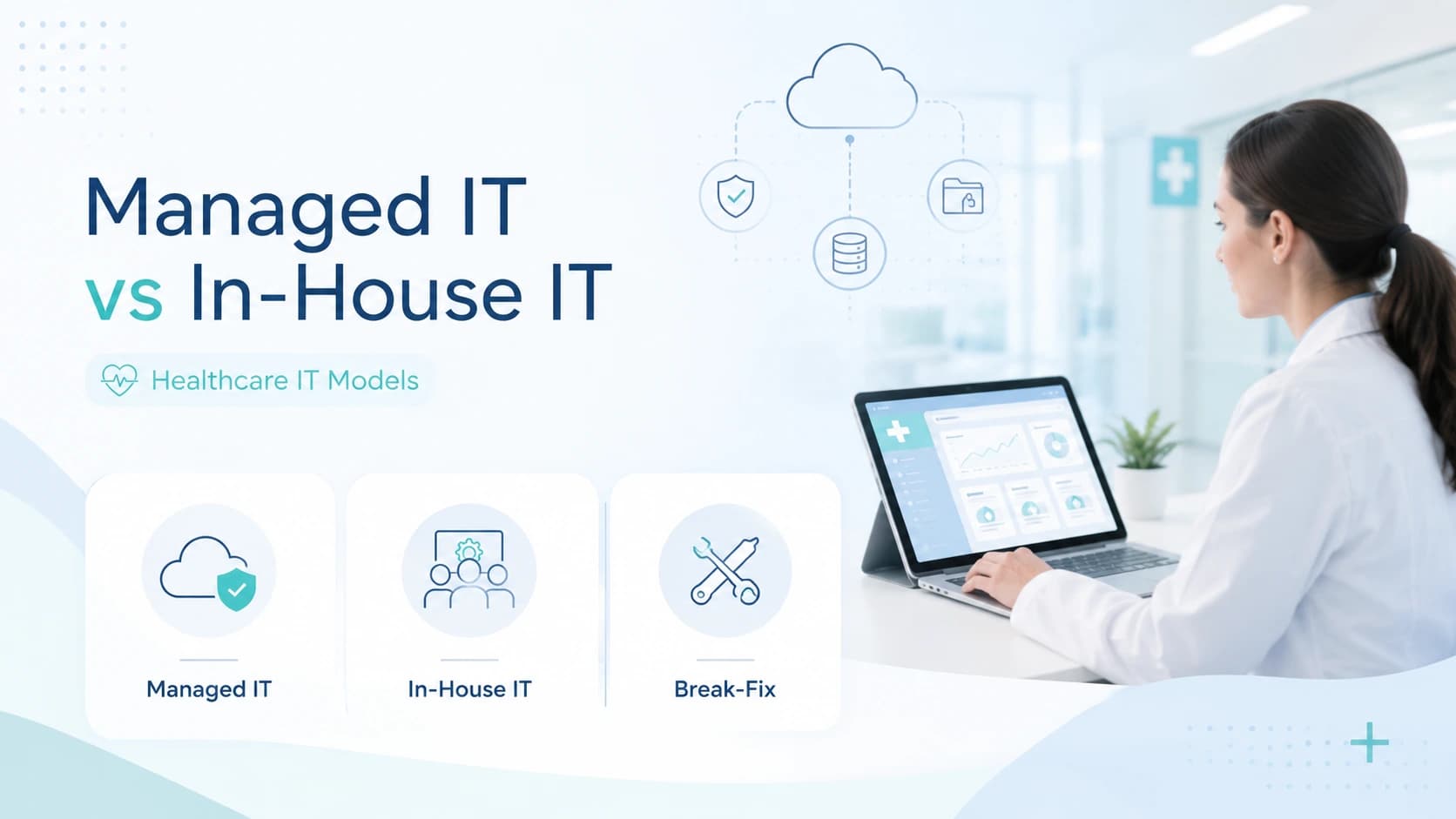
Most healthcare organizations usually compare three common options:
- Managed IT services
- In-house IT teams
- Break-fix IT support
Each model has benefits, limitations, and cost differences. The right choice depends on your organization’s size, budget, risk level, compliance needs, and how much downtime you can afford.
This guide compares managed IT vs in-house IT healthcare support and break-fix IT so you can choose the best model for long-term stability, security, and growth.
What Is Managed IT for Healthcare?
Managed IT for healthcare means outsourcing your IT operations to a managed service provider, also known as an MSP. Instead of waiting for something to break, a managed IT provider monitors systems, supports users, responds to issues, manages tickets, and helps prevent downtime before it affects patient care.
For healthcare organizations, managed IT is more than basic computer support. It can include network monitoring, server support, endpoint management, help desk services, cloud support, backup monitoring, cybersecurity support, compliance-focused documentation, and incident response.
The main goal is simple: keep healthcare technology running smoothly, securely, and consistently.
A healthcare-focused MSP understands that IT problems in medical environments are time-sensitive. Slow systems, login issues, printer failures, network outages, or EHR access problems can affect clinical staff, front desk teams, billing departments, and patient communication.
That is why many healthcare organizations choose managed IT services when they need proactive, reliable, and scalable support.
24/7 Monitoring and Support
One of the biggest benefits of managed IT is continuous monitoring. Instead of only reacting after a system fails, managed IT providers monitor networks, servers, devices, and critical systems around the clock.
This helps identify warning signs early, such as unusual activity, storage issues, failed backups, device health problems, or network performance drops.
For healthcare, 24/7 IT monitoring is especially important because medical operations often continue beyond normal office hours. Even if a clinic has standard business hours, systems may still need to run for billing, reporting, patient communication, remote access, or third-party integrations.
With 24/7 managed IT services, healthcare teams get stronger support coverage and faster issue detection.
Healthcare Help Desk Support
A managed IT provider usually includes help desk support for daily user issues. This can include password problems, email issues, device troubleshooting, printer support, software access, connectivity problems, and general technical support.
In healthcare environments, help desk support must be fast and organized. Staff members often need quick answers because delays can affect appointments, patient intake, billing, or clinical documentation.
A strong healthcare help desk gives employees a clear way to report issues and get support without wasting time searching for the right person.
Incident Response and Ticket Escalation
Managed IT services usually follow a structured ticketing and escalation process. When an issue is reported, it is logged, prioritized, assigned, and tracked until it is resolved.
This is important for healthcare organizations because not all IT issues carry the same level of risk. A single workstation issue may be low priority, while an EHR outage, network failure, or security alert may require immediate escalation.
A managed IT provider can help define response levels based on business impact. This creates a more organized IT support process and helps reduce confusion during urgent situations.
SLA-Based IT Support
A Service Level Agreement, or SLA, defines expected response times, support coverage, escalation rules, and service responsibilities.
For healthcare organizations, SLA-based IT support helps create accountability. Instead of relying on informal support or waiting for availability, the organization knows what level of service to expect.
This is one of the major differences between managed IT and break-fix support. Managed IT is usually built around ongoing service, measurable response expectations, and long-term support planning.
Security, Compliance, and Risk Management Support
Healthcare organizations handle sensitive patient information, so IT support must include security awareness and risk reduction.
Managed IT providers can support security practices such as access control, device protection, backup monitoring, patch management, system updates, user permissions, and security documentation.
A managed IT provider does not replace legal or compliance teams, and it should not promise automatic HIPAA compliance. However, the right MSP can help healthcare organizations build stronger IT controls, reduce security gaps, and maintain better compliance readiness.
This makes managed IT a valuable option for healthcare teams that need both technical support and stronger operational discipline.
What Is an In-House IT Team?
An in-house IT team is made up of employees who work directly for the healthcare organization. These employees may support computers, networks, users, systems, security, vendors, and internal technology projects.
For larger healthcare organizations, an internal IT team can be very useful because they are familiar with the organization’s daily operations, staff, workflows, and internal priorities.
In-house IT gives more direct control over technology decisions and can provide on-site support when needed.
Internal IT Staff Responsibilities
An internal IT team may handle many responsibilities, including:
- User support
- Device setup
- Network troubleshooting
- Server maintenance
- Software updates
- Vendor coordination
- EHR support coordination
- Cybersecurity tasks
- Backup monitoring
- Access permissions
- Hardware replacement
- IT planning and documentation
In smaller healthcare organizations, one IT person may be expected to handle all of these areas. This can quickly become difficult, especially when the organization grows or when urgent issues happen outside regular hours.
Benefits of Having On-Site IT Staff
The biggest benefit of an in-house IT team is direct availability. Internal IT staff understand the organization, know the employees, and can physically inspect devices, wiring, workstations, and network equipment.
They may also respond quickly to small on-site issues, such as printer problems, workstation setup, or equipment replacement.
Another benefit is control. Healthcare leadership can directly manage priorities, projects, and internal processes.
For organizations with complex systems, many locations, or specialized applications, internal IT can be a strong foundation.
Common Limits of Internal Healthcare IT Teams
The main challenge with in-house IT is capacity. Hiring skilled IT staff is expensive, and one or two employees may not be enough to cover every need.
Healthcare IT often requires knowledge across many areas: cybersecurity, networking, cloud platforms, servers, EHR systems, backups, compliance, user support, and incident response.
It is difficult for a small internal team to cover all of these areas while also handling daily support tickets.
Another issue is after-hours coverage. Internal employees may work standard office hours, but IT problems can happen at night, on weekends, or during holidays.
This is why many healthcare organizations either outsource IT fully or use a hybrid model where internal IT works with a managed service provider.
What Is Break-Fix IT Support?
Break-fix IT support is the traditional reactive IT model. Under this model, an organization contacts an IT technician or vendor only when something breaks.
For example, if the internet stops working, a server fails, a workstation crashes, or email stops loading, the organization calls for help and pays for the repair.
There is usually no continuous monitoring, no proactive maintenance, and no long-term support strategy.
How the Break-Fix Model Works
The break-fix model is simple:
Something breaks.
The organization reports the issue.
The technician investigates.
The technician fixes the problem.
The organization pays for the repair.
This model may seem affordable at first because there is no monthly managed IT cost. However, the real cost can become much higher over time if problems happen often or cause downtime.
In healthcare, this model can be risky because waiting until something breaks can directly affect staff productivity and patient service.
Why Break-Fix IT Is Reactive
Break-fix support reacts after the damage is already done. It does not usually include monitoring, preventive maintenance, routine updates, risk reviews, or system health checks.
This means small problems can grow into larger issues before anyone notices them.
For example, a server storage issue may go unnoticed until the system slows down or stops working. A failed backup may not be discovered until data recovery is needed. A security gap may remain open until suspicious activity occurs.
In healthcare, reactive IT support can create avoidable risk.
When Break-Fix Support May Still Be Used
Break-fix support may still work for very small organizations with limited technology needs, low risk, and no complex systems.
It may also be used for one-time repairs, hardware replacement, or support for non-critical systems.
However, for healthcare organizations that depend on EHR access, network uptime, patient communication, and secure data handling, break-fix support is usually not enough as a long-term IT strategy.
Managed IT vs In-House IT vs Break-Fix: Quick Comparison
The best way to understand the difference is to compare how each model handles cost, response time, support coverage, risk, and long-term planning.
| Factor | Managed IT | In-House IT | Break-Fix IT |
|---|---|---|---|
| Support Style | Proactive and ongoing | Internal and direct | Reactive only |
| Cost Model | Predictable monthly cost | Salaries, benefits, tools | Pay per repair |
| Monitoring | Usually included | Depends on internal tools | Usually not included |
| Response Process | SLA-based support | Depends on team capacity | Depends on vendor availability |
| After-Hours Coverage | Often available | Usually limited | Usually limited or costly |
| Security Support | Ongoing support possible | Depends on staff expertise | Usually limited |
| Scalability | Easier to scale | Requires hiring | Not scalable for growth |
| Best For | Clinics, hospitals, growing healthcare teams | Large organizations or teams needing internal control | Very small or low-risk environments |
Cost Predictability
Managed IT usually offers predictable monthly pricing. This helps healthcare organizations plan budgets more clearly.
In-house IT has fixed employment costs such as salaries, benefits, training, tools, and management overhead.
Break-fix IT may look cheaper at first, but costs can become unpredictable because every issue may create a new bill. Emergency repairs can also be more expensive than planned support.
Response Time
Managed IT providers usually define response expectations through SLAs. This gives healthcare teams a clearer process for urgent and non-urgent issues.
In-house IT response time depends on team size, workload, and availability.
Break-fix response time depends on when the technician or vendor is available. This can become a problem during urgent healthcare IT issues.
Availability After Business Hours
Healthcare organizations often need support outside normal business hours. Managed IT can provide extended or 24/7 support depending on the service plan.
Internal IT teams may not be available after hours unless the organization pays for on-call coverage.
Break-fix providers may offer emergency support, but it is often slower, more expensive, or not guaranteed.
Security and HIPAA Support
Managed IT providers can help healthcare organizations follow stronger security practices through monitoring, patching, access management, backup checks, and documentation support.
In-house teams can also support security, but only if they have the right tools, training, and time.
Break-fix support is usually not designed for continuous security management or compliance readiness.
Downtime Prevention
Managed IT focuses on preventing issues before they become serious. This can reduce downtime and improve system reliability.
In-house IT can prevent downtime if the team has enough resources and monitoring tools.
Break-fix support does not prevent downtime because it usually starts after the problem has already affected operations.
Scalability for Growing Healthcare Teams
As healthcare organizations grow, their IT needs become more complex. More users, more devices, more systems, more locations, and more security risks require stronger support.
Managed IT can scale more easily because the provider already has tools, processes, and technical staff.
In-house IT can scale, but it usually requires hiring more employees.
Break-fix support becomes weaker as the organization grows because it does not provide structured, ongoing management.
Accountability and Reporting
Managed IT providers usually track tickets, response times, system issues, and support trends. This gives leadership more visibility into IT performance.
In-house IT can also provide reporting, but it depends on the tools and processes in place.
Break-fix support often lacks proper reporting because the focus is on repairing individual problems, not managing the full IT environment.
The Real Cost of IT Outsourcing vs Internal IT Teams
When comparing IT outsourcing cost with the cost of an internal IT team, healthcare organizations should look beyond monthly fees.
The real cost includes people, tools, downtime, security risk, training, emergency support, and lost productivity.
A cheaper option is not always the better option if it creates more risk or more downtime.
Salaries, Benefits, and Hiring Costs
Hiring skilled IT employees can be expensive. Healthcare organizations may need network specialists, help desk staff, cybersecurity support, cloud experts, and system administrators.
One employee may not have all of these skills.
In addition to salaries, organizations must also consider benefits, recruiting, onboarding, management, paid leave, and staff turnover.
Managed IT services can reduce the need to hire a full internal team by giving access to a wider group of technical experts through one service agreement.
Training and Certification Costs
Technology changes quickly. IT staff need ongoing training to stay updated on cybersecurity risks, cloud systems, infrastructure, healthcare applications, and compliance-related practices.
For internal teams, the organization is responsible for this training cost.
With managed IT, the provider is usually responsible for maintaining technical skills across its team.
This can be helpful for healthcare organizations that need professional support but do not want to manage every training requirement internally.
Tooling, Monitoring, and Software Costs
Strong IT support requires tools. These may include monitoring platforms, antivirus or endpoint protection tools, ticketing systems, remote access tools, backup monitoring, patch management software, and reporting dashboards.
If a healthcare organization builds an in-house team, it may need to purchase, manage, and maintain these tools separately.
A managed IT provider usually includes many of these tools as part of the service.
This can make outsourcing more cost-effective, especially for small and mid-sized healthcare organizations.
Emergency Support and Downtime Costs
Downtime is one of the biggest hidden IT costs.
When systems go down, staff cannot work efficiently. Patients may wait longer. Billing may be delayed. Appointments may be affected. Clinical documentation may be interrupted.
Break-fix support may only charge for the repair, but it does not always account for the business loss caused by downtime.
Managed IT focuses on reducing downtime through monitoring, maintenance, and faster response.
Hidden Costs of Reactive IT Support
Reactive IT support can create hidden costs over time. These may include repeated repairs, poor documentation, unresolved root causes, staff frustration, delayed workflows, security gaps, and lack of long-term planning.
A break-fix provider may solve the immediate issue, but if the root cause is not addressed, the same problem may return.
For healthcare organizations, repeated IT disruption can damage trust, reduce productivity, and create operational stress.
Why Healthcare Organizations Outgrow Break-Fix IT
Many healthcare organizations start with break-fix IT because it seems simple and affordable. But as the organization grows, this model often becomes too limited.
Healthcare technology environments are no longer simple. Even small clinics depend on multiple systems, devices, networks, cloud tools, communication platforms, and third-party applications.
When these systems become critical to daily operations, waiting for them to break is not a smart long-term strategy.
Downtime Impacts Patient Care
In healthcare, downtime affects more than internal productivity. It can impact patient intake, appointment scheduling, EHR access, billing, communication, and care coordination.
If staff cannot access the systems they need, patient service can slow down.
This makes downtime prevention a major reason to move from break-fix IT to managed IT.
Delayed Response Creates Operational Risk
Break-fix support does not always guarantee fast response. If a provider is busy or unavailable, the organization may have to wait.
In healthcare, waiting for IT support during a critical issue can create serious operational problems.
Managed IT offers a more structured support process with ticket tracking, escalation, and defined response expectations.
No Continuous Monitoring
Without monitoring, healthcare organizations may not know there is a problem until users start complaining.
This can be dangerous because some issues develop quietly over time. Examples include failed backups, device health problems, server capacity issues, outdated patches, or unusual network activity.
Managed IT helps detect these issues earlier.
Weak Documentation and Reporting
Break-fix support often lacks proper documentation. A technician may fix a problem, but the organization may not receive a clear record of what happened, why it happened, and how to prevent it in the future.
Poor documentation makes future troubleshooting harder.
Managed IT providers usually maintain ticket history, support notes, device records, and reporting. This helps healthcare organizations make better IT decisions.
Higher Long-Term IT Costs
Break-fix can become expensive when the same issues happen again and again. Instead of improving the IT environment, the organization keeps paying for repairs.
Managed IT may have a monthly cost, but it focuses on reducing repeated problems, improving system health, and supporting long-term stability.
For healthcare teams, this can create better value over time.
Benefits of Managed IT Services for Healthcare Organizations
Managed IT services are designed to provide proactive, organized, and scalable IT support.
For healthcare organizations, this model can reduce pressure on staff, improve uptime, support security practices, and create a more reliable technology environment.
Proactive Issue Detection
Managed IT providers monitor systems to detect problems early. This helps reduce surprise failures and gives IT teams time to fix issues before they affect users.
Proactive support is especially important in healthcare because many systems must remain available during busy operational hours.
Reduced Downtime Risk
One of the main goals of managed IT is to reduce downtime.
Through monitoring, maintenance, backup checks, patching, and support processes, an MSP can help improve system reliability.
Less downtime means staff can work more efficiently and patient-facing operations can continue with fewer interruptions.
24/7 Healthcare IT Coverage
Healthcare organizations often need support beyond normal office hours. Managed IT can provide 24/7 monitoring and support coverage depending on the service plan.
This is useful for organizations with multiple locations, remote staff, after-hours operations, or systems that must remain available at all times.
For healthcare teams looking for continuous support, MediSure’s 24/7 Managed IT Services are built to support critical operations, reduce downtime, and improve response visibility.
Faster Ticket Resolution
Managed IT providers use ticketing systems to organize support requests. This helps prioritize urgent issues, assign the right technician, and track resolution progress.
For healthcare staff, this creates a smoother support experience because problems are not handled randomly or informally.
A structured ticketing process also helps leadership understand recurring IT issues and support trends.
Better Support for EHR and Clinical Systems
EHR access, clinical applications, scheduling tools, billing platforms, and communication systems are essential in healthcare environments.
Managed IT providers can help support the infrastructure behind these tools, such as networks, devices, servers, user access, and connectivity.
While an MSP may not replace the EHR vendor, it can help troubleshoot related technical issues and coordinate with vendors when needed.
Stronger Security and Compliance Readiness
Managed IT can support better security habits through patch management, device protection, access controls, backup monitoring, and security-focused documentation.
This helps healthcare organizations reduce risk and become better prepared for audits, reviews, and internal security checks.
It is important to remember that managed IT does not automatically make an organization compliant. However, it can support the technical controls and processes needed for stronger compliance readiness.
Predictable Monthly IT Costs
Managed IT services usually come with a planned monthly cost. This makes budgeting easier compared to surprise break-fix bills or emergency repair costs.
For small and mid-sized healthcare organizations, predictable IT spending can be a major advantage.
It allows leadership to plan technology costs more clearly while receiving ongoing support.
Less Pressure on Internal IT Teams
For organizations that already have internal IT staff, managed IT can reduce workload and prevent burnout.
The MSP can handle monitoring, help desk support, ticket overflow, after-hours issues, patching, reporting, and escalations.
This allows internal IT teams to focus on strategic projects, system improvements, and organization-specific priorities.
In many healthcare environments, the best model is not managed IT vs in-house IT. It is a combination of both.
When an In-House IT Team Makes Sense
An in-house IT team can be a good choice for healthcare organizations that need direct control, daily on-site support, and deep knowledge of internal operations.
Large hospitals, multi-location healthcare networks, and organizations with complex systems may benefit from having internal IT staff who understand their workflows, departments, users, and technology environment.
In-house IT is also useful when leadership wants full control over technology planning, vendor relationships, system access, and internal support priorities.
However, in-house IT works best when the organization has enough budget, tools, and staff to support the full IT workload. If the internal team is too small, they may become overloaded quickly.
Large Healthcare Systems with Complex Internal Operations
Large healthcare systems often have more complex IT needs than small clinics. They may have multiple departments, many users, specialized applications, internal servers, cloud systems, imaging tools, EHR platforms, and strict access control needs.
In these environments, internal IT teams can provide strong day-to-day support because they understand how different departments operate.
They can also work closely with leadership on long-term technology planning, system upgrades, vendor management, and internal policies.
Organizations That Need Daily On-Site Support
Some healthcare organizations need frequent on-site support. This may include workstation setup, device replacement, printer support, network cabling, hardware checks, and equipment troubleshooting.
If the organization needs someone physically present every day, an in-house IT employee can be valuable.
However, on-site support alone is not enough. Healthcare organizations still need monitoring, cybersecurity support, backup checks, after-hours coverage, and escalation support.
This is why many organizations combine internal IT with managed IT services.
Teams with Strong Existing IT Leadership
An in-house IT model works better when the organization already has strong IT leadership.
A skilled IT manager or director can plan technology strategy, manage vendors, control budgets, document processes, and guide the internal team.
Without strong leadership, internal IT can become reactive. The team may spend most of its time fixing daily issues instead of improving the overall IT environment.
When Internal IT Should Be Supported by a Managed IT Provider
Even strong internal IT teams can benefit from managed IT support.
A managed service provider can help with 24/7 monitoring, help desk overflow, security support, patching, reporting, backup monitoring, and after-hours incident response.
This gives internal staff more time to focus on higher-value work, such as EHR optimization, workflow improvements, system planning, and internal projects.
For many healthcare organizations, the best option is not choosing between managed IT and in-house IT. The best option is using both together.
Managed IT + Internal IT: The Hybrid Model for Healthcare
A hybrid IT model, also called co-managed IT, combines internal IT staff with an external managed IT provider.
This model gives healthcare organizations the best of both sides. Internal IT keeps direct knowledge of the organization, while the managed IT provider adds extra support, tools, monitoring, and technical capacity.
This is a strong choice for healthcare organizations that already have IT employees but need more coverage, better response times, or stronger security support.
How Co-Managed IT Support Works
In a co-managed IT model, responsibilities are divided between the internal team and the MSP.
For example, the internal IT team may handle on-site support, user relationships, vendor coordination, and daily internal priorities.
The managed IT provider may handle 24/7 monitoring, ticket overflow, server alerts, patching, endpoint protection, backup checks, security support, and after-hours response.
The goal is not to replace the internal team. The goal is to support them.
Why Hybrid IT Works Well for Hospitals and Clinics
Healthcare organizations often have more IT work than one person or a small team can manage.
A hybrid model helps fill the gaps without requiring the organization to hire several new employees.
It also improves coverage. If the internal IT employee is busy, unavailable, or off duty, the managed IT provider can still support users and monitor systems.
This can reduce delays and improve reliability.
What Internal IT Handles
Internal IT teams are often best at handling organization-specific needs, such as:
- On-site support
- Staff relationships
- Internal workflow knowledge
- Local hardware support
- Department-specific requests
- Vendor coordination
- Technology planning with leadership
- Daily operational priorities
Because internal IT understands the organization closely, they are valuable for tasks that require direct context.
What the Managed IT Provider Handles
A managed IT provider is often best at handling scalable, ongoing, and technical support areas, such as:
- 24/7 monitoring
- Help desk support
- Ticket escalation
- Server and network alerts
- Patch management
- Backup monitoring
- Endpoint security support
- Reporting
- After-hours incident response
- Documentation support
This allows healthcare organizations to improve IT maturity without building everything internally.
How Hybrid IT Reduces Staff Burnout
Internal IT burnout is common in healthcare organizations. A small team may be expected to handle every issue, every user request, every vendor problem, and every emergency.
This can create stress and slow response times.
A co-managed IT model gives internal IT staff extra support. The MSP can take over routine tasks, after-hours alerts, and support overflow.
This helps internal employees focus on important projects instead of constantly reacting to problems.
Managed IT vs In-House IT: Which Is Better for Small Clinics?
For small clinics, managed IT is often more practical than building a full in-house IT team.
Hiring even one skilled IT employee can be expensive. Hiring a full team with networking, cybersecurity, help desk, cloud, and compliance knowledge may not be realistic for a small practice.
Managed IT gives small clinics access to broader technical support without the cost of building a complete internal department.
Budget Considerations
Small clinics usually need predictable costs. Managed IT services often provide a fixed monthly fee, which makes budgeting easier.
In-house IT includes salary, benefits, training, tools, management time, and backup coverage when the employee is unavailable.
Break-fix IT may seem cheaper, but emergency repairs and downtime can become costly over time.
For many small clinics, managed IT provides a better balance between cost and support.
After-Hours Support Needs
Even if a clinic is open only during normal business hours, IT systems may still need monitoring after hours.
Backups, updates, remote access, security alerts, and system issues can happen at any time.
Managed IT can provide after-hours monitoring and support options that small clinics may not be able to build internally.
EHR and System Support Requirements
Small clinics depend heavily on EHR systems, scheduling tools, billing platforms, patient communication tools, internet connectivity, and printers.
If any of these systems fail, daily operations can slow down.
Managed IT can support the technology environment around these systems, including devices, access, networks, connectivity, and troubleshooting.
This helps clinics maintain smoother operations.
Security and Compliance Challenges
Small healthcare organizations are still responsible for protecting patient data.
They need strong password practices, access control, device security, backups, updates, and proper documentation.
An MSP can help small clinics strengthen their IT security practices and reduce common gaps.
This is important because smaller organizations may not have internal cybersecurity expertise.
Growth and Multi-Location Support
As clinics grow, IT needs become more complex.
More staff, more devices, more locations, more systems, and more patient data all increase the need for reliable IT support.
Managed IT can scale with the clinic as it grows. This makes it easier to add users, support new locations, and improve systems without rebuilding the entire IT model.
Managed IT vs Break-Fix: Which Is Better for Healthcare?
Managed IT is usually a better long-term choice for healthcare organizations than break-fix support.
Break-fix only reacts after a problem happens. Managed IT focuses on preventing problems, improving system health, and supporting users on an ongoing basis.
For healthcare, this difference matters because downtime, security issues, and delayed support can affect patient care and daily operations.
Proactive vs Reactive IT Support
Managed IT is proactive. It monitors systems, checks alerts, tracks issues, and helps prevent failures.
Break-fix is reactive. It starts only after something breaks.
Healthcare organizations need proactive support because many IT issues can cause serious disruption if they are not handled early.
Prevention vs Emergency Repair
Emergency repairs are stressful and often more expensive.
Managed IT reduces the need for emergency repairs by maintaining systems, tracking risks, and fixing smaller issues before they become larger problems.
Break-fix support may repair the issue, but it usually does not provide long-term prevention.
Long-Term Stability vs Short-Term Fixes
Break-fix support is often focused on solving the immediate problem.
Managed IT focuses on the full environment. This includes stability, monitoring, documentation, reporting, and future planning.
For healthcare organizations, long-term stability is more valuable than short-term repair.
Better Fit for HIPAA-Sensitive Environments
Healthcare organizations need IT processes that support security, privacy, and proper data handling.
Managed IT is a better fit because it can support access controls, patching, monitoring, backup checks, device protection, and documentation.
Break-fix support is usually not designed to manage security and compliance needs on an ongoing basis.
Key Signs Your Healthcare Organization Needs Managed IT
A healthcare organization may need managed IT if technology problems are becoming frequent, stressful, or difficult to manage internally.
If your team is constantly reacting to issues, waiting for support, or dealing with repeated downtime, it may be time to move to a more proactive model.
Frequent System Downtime
If systems go down often, your current IT model may not be strong enough.
Downtime affects staff productivity, patient communication, scheduling, billing, and clinical workflows.
Managed IT can help reduce downtime through monitoring, maintenance, and faster response.
Slow EHR or Login Issues
Slow EHR access, login problems, and system delays can frustrate staff and slow patient care.
These issues may be caused by network problems, device issues, access control problems, server performance, or application-related errors.
Managed IT can help investigate and resolve these issues more systematically.
Repeated Network Problems
Network problems can affect internet access, phones, printers, EHR systems, cloud platforms, and communication tools.
If the same network issues keep returning, break-fix support may not be solving the root cause.
Managed IT can monitor network performance and help identify deeper problems.
No After-Hours IT Coverage
If your organization has no IT support after business hours, urgent problems may wait too long.
This can be risky for healthcare teams that depend on systems outside standard office hours.
Managed IT can provide expanded support coverage and monitoring.
Internal IT Team Is Overloaded
If your internal IT team is always busy, response times may slow down.
Overloaded IT staff may not have time for documentation, planning, updates, monitoring, and security improvements.
A managed IT provider can support your internal team and reduce pressure.
Security Gaps or Poor Documentation
If your organization does not have clear documentation for devices, users, access permissions, backups, incidents, or support tickets, it may be difficult to manage IT risk.
Managed IT can help improve documentation, reporting, and support visibility.
No Clear SLA or Escalation Process
If users do not know when their issue will be resolved, or if urgent issues are not prioritized properly, your support process may need improvement.
Managed IT providers usually use SLAs, ticketing systems, and escalation workflows to make support more organized.
How to Choose the Right Healthcare IT Support Model
Choosing between managed IT, in-house IT, and break-fix support depends on your organization’s needs, budget, risk level, and growth plans.
The best IT model should support patient care, protect systems, reduce downtime, and give staff the help they need.
Assess Your Current IT Risks
Start by reviewing your current IT problems.
Look at downtime, security gaps, outdated systems, backup issues, user complaints, slow response times, and recurring technical problems.
If your current model is mostly reactive, managed IT may be a better choice.
Review Downtime and Ticket History
Downtime and support tickets can show where your IT model is weak.
If the same issues happen again and again, your organization may need stronger monitoring, better documentation, or a more proactive support plan.
Managed IT providers can help track these patterns and improve resolution.
Compare Internal Capacity vs Support Needs
Ask whether your internal team has enough time, tools, and expertise to handle all IT needs.
If your team is too small, managed IT can fill the gaps.
If you already have a strong internal team, a co-managed IT model may be the best fit.
Evaluate Compliance and Security Requirements
Healthcare organizations must take security seriously.
Your IT model should support access control, device protection, updates, backups, monitoring, and documentation.
If your current support model does not help with these areas, it may create risk.
Calculate Total IT Cost, Not Just Monthly Fees
Do not compare IT models only by monthly cost.
Consider salaries, benefits, tools, training, emergency repairs, downtime, lost productivity, security risk, and future growth.
Managed IT may provide better value when you look at the full cost of IT operations.
Choose a Model That Supports Patient Care Continuity
The right IT support model should help your healthcare team serve patients without avoidable technology disruption.
If IT issues are slowing down staff or affecting daily workflows, your organization needs a stronger support model.
Questions to Ask Before Hiring a Managed IT Services Provider
Before choosing a managed IT provider, healthcare organizations should ask the right questions.
Not every MSP understands healthcare workflows, patient data sensitivity, EHR environments, or urgent clinical support needs.
Do You Specialize in Healthcare IT?
Healthcare IT is different from general business IT.
Ask whether the provider has experience supporting clinics, hospitals, labs, or other healthcare organizations.
A healthcare-focused provider will better understand uptime, patient data, compliance readiness, and clinical workflow needs.
Do You Provide 24/7 Monitoring and Support?
Ask whether monitoring is included and what type of support is available after hours.
For healthcare organizations, 24/7 monitoring can help detect issues before they affect operations.
How Do You Handle Critical Incidents?
Critical incidents need a clear process.
Ask how the provider handles outages, security alerts, EHR access problems, network failures, and urgent support requests.
You should understand how issues are prioritized and escalated.
What SLAs Do You Offer?
Ask about response times, resolution expectations, escalation rules, and reporting.
A clear SLA helps create accountability between your organization and the managed IT provider.
Can You Support EHR, Network, Server, and Cloud Systems?
Healthcare IT environments include many connected systems.
Your MSP should be able to support networks, devices, servers, cloud systems, user access, and vendor coordination.
They may not replace your EHR vendor, but they should help support the infrastructure that keeps your EHR accessible.
How Do You Support HIPAA Compliance?
A managed IT provider should not promise automatic HIPAA compliance.
However, they should support security practices that help your organization reduce risk, such as access controls, patching, device protection, backup monitoring, and documentation.
Do You Provide Reporting and Performance Visibility?
Good IT support should include reporting.
Ask whether the provider shares ticket trends, response times, recurring issues, system health reports, and recommendations.
This helps leadership understand IT performance and make better decisions.
Why MediSure Solution Is a Strong Fit for Healthcare Managed IT
MediSure Solution provides healthcare-focused IT support designed to help organizations reduce downtime, improve response visibility, and maintain stronger technology operations.
For clinics, hospitals, labs, and healthcare teams, MediSure’s managed IT services can help create a more stable and proactive support environment.
Healthcare-Focused IT Support
MediSure understands that healthcare IT is connected to patient care, staff productivity, and daily operations.
The goal is not only to fix technical problems. The goal is to keep healthcare teams working with fewer interruptions.
24/7 Monitoring and Incident Response
MediSure’s 24/7 Managed IT Services are built to support continuous monitoring, faster issue detection, and organized incident response.
This helps healthcare organizations reduce risk and respond to problems before they become larger disruptions.
SLA-Driven Support Workflows
Structured support workflows help ensure that issues are logged, prioritized, escalated, and tracked.
This gives healthcare teams better visibility and helps reduce confusion during urgent IT situations.
Support for EHR, Network, Server, and Infrastructure Issues
MediSure can support the technology environment that healthcare teams depend on every day, including networks, systems, servers, devices, and access-related issues.
This helps improve reliability across clinical and administrative workflows.
Scalable Support for Clinics, Hospitals, Labs, and Healthcare Teams
As healthcare organizations grow, their IT needs become more complex.
MediSure’s managed IT services can scale with your organization, helping support more users, locations, systems, and operational needs over time.
Final Recommendation: Which IT Model Should Healthcare Organizations Choose?
There is no single answer for every healthcare organization.
The right model depends on your size, budget, risk level, internal team, and support needs.
However, most healthcare organizations should avoid relying only on break-fix IT. It is too reactive for environments where downtime, security, and patient service matter.
Choose Managed IT If You Need Predictable, Proactive, 24/7 Support
Managed IT is a strong choice if your organization needs ongoing monitoring, help desk support, faster response, security support, and predictable costs.
It is especially useful for small and mid-sized healthcare organizations that need expert support without hiring a full internal team.
Choose In-House IT If You Need Full-Time Internal Control
In-house IT may be the right choice if your organization is large, complex, and needs direct daily control over technology.
However, internal IT still needs the right tools, budget, training, and backup support.
Avoid Break-Fix If Downtime, Security, and Compliance Matter
Break-fix IT may work for very small, low-risk environments, but it is not ideal for healthcare organizations that depend on reliable systems.
If downtime affects your staff or patients, break-fix support is usually not enough.
Consider a Hybrid Model for the Best Balance
For many healthcare organizations, the best choice is a hybrid model.
Internal IT can manage daily on-site needs, while a managed IT provider supports monitoring, ticket overflow, after-hours support, security practices, and escalation.
This creates a stronger and more balanced IT support structure.
Conclusion: The Right IT Model Should Protect Patient Care, Not Just Fix Technology
Choosing between managed IT, in-house IT, and break-fix support is not only a technology decision. For healthcare organizations, it is an operational decision that affects staff productivity, patient service, security, compliance readiness, and long-term growth.
Break-fix IT may solve problems after they happen, but it does not provide the proactive protection healthcare teams need.
In-house IT offers control, but it can become expensive and difficult to scale without enough staff and tools.
Managed IT provides a proactive, scalable, and cost-predictable model that helps healthcare organizations reduce downtime, improve support, and strengthen IT operations.
For many clinics, hospitals, labs, and healthcare teams, the best choice is managed IT or a hybrid model that combines internal knowledge with external expertise.
If your organization needs proactive healthcare IT support, 24/7 monitoring, incident response, and stronger operational visibility, MediSure Solution’s 24/7 Managed IT Services can help you build a more reliable IT environment.
FAQs
Is managed IT better than in-house IT for healthcare?
Managed IT is often better for small and mid-sized healthcare organizations that need expert support, 24/7 monitoring, predictable costs, and stronger coverage without hiring a full internal IT team. In-house IT may be better for large organizations that need full internal control.
Is IT outsourcing cost-effective for clinics and hospitals?
Yes, IT outsourcing can be cost-effective because it reduces the need to hire multiple specialists internally. It can also include monitoring tools, help desk support, ticket management, and after-hours coverage in one service model.
What is the difference between managed IT and break-fix IT?
Managed IT is proactive and ongoing. It focuses on monitoring, prevention, support, and long-term stability. Break-fix IT is reactive and only provides support after something breaks.
Can managed IT replace an internal IT team?
Yes, managed IT can replace an internal IT team for some small or mid-sized organizations. For larger healthcare organizations, managed IT can also support the internal team through a co-managed IT model.
What is co-managed IT support?
Co-managed IT support is a hybrid model where an internal IT team works with a managed service provider. The internal team handles organization-specific tasks, while the MSP supports monitoring, help desk overflow, security, patching, reporting, and escalation.
Why is 24/7 IT support important in healthcare?
Healthcare systems often need to remain available outside normal business hours. 24/7 IT support helps detect issues early, respond to urgent problems, and reduce downtime risk.
How does managed IT help reduce downtime?
Managed IT reduces downtime through proactive monitoring, maintenance, patch management, backup checks, structured ticketing, and faster escalation of urgent issues.
Does managed IT support HIPAA compliance?
Managed IT can support HIPAA compliance readiness by helping with technical safeguards such as access controls, device protection, updates, backups, and documentation. However, an MSP should not claim to make an organization automatically HIPAA compliant.
What should healthcare organizations look for in an MSP?
Healthcare organizations should look for an MSP with healthcare experience, 24/7 monitoring, clear SLAs, strong ticketing processes, security support, documentation, reporting, and the ability to support EHR-related infrastructure.
When should a healthcare organization move away from break-fix IT?
A healthcare organization should move away from break-fix IT when downtime becomes frequent, response times are slow, security risks are increasing, internal staff are frustrated, or technology problems begin affecting patient care and daily operations.